

You can have clean accounts, fresh proxies and a great offer, and still burn your budget in two days. The reason is usually the same: the creative. If people don’t stop scrolling, click and convert, nothing else in your setup matters. The fastest way to stop guessing is to see what already works. That is exactly what a Facebook ad spy tool does, and in 2026 the best one for Meta traffic is Tyver.
Below you will find the quick answer, a breakdown of six options (five paid tools and one free combo), a comparison table and a simple workflow you can use today.
Why Every Media Buyer Needs an Ad Spy Tool
Most guides and experienced buyers agree on the basic kit for running Facebook ads: an antidetect browser, proxies, ad accounts and an ad spy tool. The first three keep your campaigns safe and scalable. The spy tool tells you what to launch.
Facebook is still where most affiliates test first, so what works there is the best signal for the rest of your traffic. A good spy tool lets you:
- Skip blind tests: see which creatives, hooks and formats already run for a long time in your vertical and GEO.
- Save budget: start from proven angles instead of paying for your own failures, which matters most when your budget is small.
- Track competitors and top affiliates: watch what they launch, scale and quietly drop.
- Work faster as a team: modern tools now include built-in media uniquifiers, collections, landing page downloads and role-based access.
Quick Answer: Which Facebook Ad Spy Tool Is Best?
- Best overall for Facebook and Instagram: Tyver
- Best for multi-source traffic (Facebook, TikTok, push): Spy.House
- Best for deep history and a huge archive: AdSpy
- Best for e-commerce and TikTok crossovers: Pipiads
- Best for creative teams and agencies: Foreplay
- Best free option: Meta Ad Library with the AdLib Pro extension
1. Tyver: The Best Ad Spy Tool for Facebook and Instagram
Tyver is built only for Facebook and Instagram ads. That focus is its biggest advantage: every feature is designed for people who buy traffic on Meta, not for a dozen platforms at once.

Here is why it deserves the top spot:
- Huge, fresh database: around 140 GEOs, more than 4 million new ads per day and updates every few hours. Banned ads stay in the database, so you can study what worked before it got blocked.
- Wide coverage: the service claims it captures about 92% of FB and IG ads. That number can’t be verified independently, but buyer feedback suggests the coverage is strong.
- 20+ filters on one screen: keyword with match type, country, creation date, days active, format, CTA, placements, lead form, fan page, domain zone, URL macros such as pixel or fbclid, app store, e-commerce platform, language, last activity, IP or domain and webmaster ID.
- Audience data: reach, gender and age for Tier-1 and some Tier-2 GEOs, plus extra demographic settings for the EU. You see who the ad really targets, not just how it looks.
- Built for iGaming: filters for game name, provider, game type and approach (for example UGC or Life), plus quick tags for popular slots and crash games.
- Webmasters page (beta): links a pixel, fan page and domain into one advertiser card, so you can see how many ads a buyer runs, how many are active and top, and which countries they target.

- Work tools included: built-in uniquifier (1 to 10 copies), folders, shareable collections, filter presets and a Team plan with roles and limits for each buyer.
- Not just for gambling: an e-commerce platform filter (Shopify and others) makes it a good fit for e-com offers too.
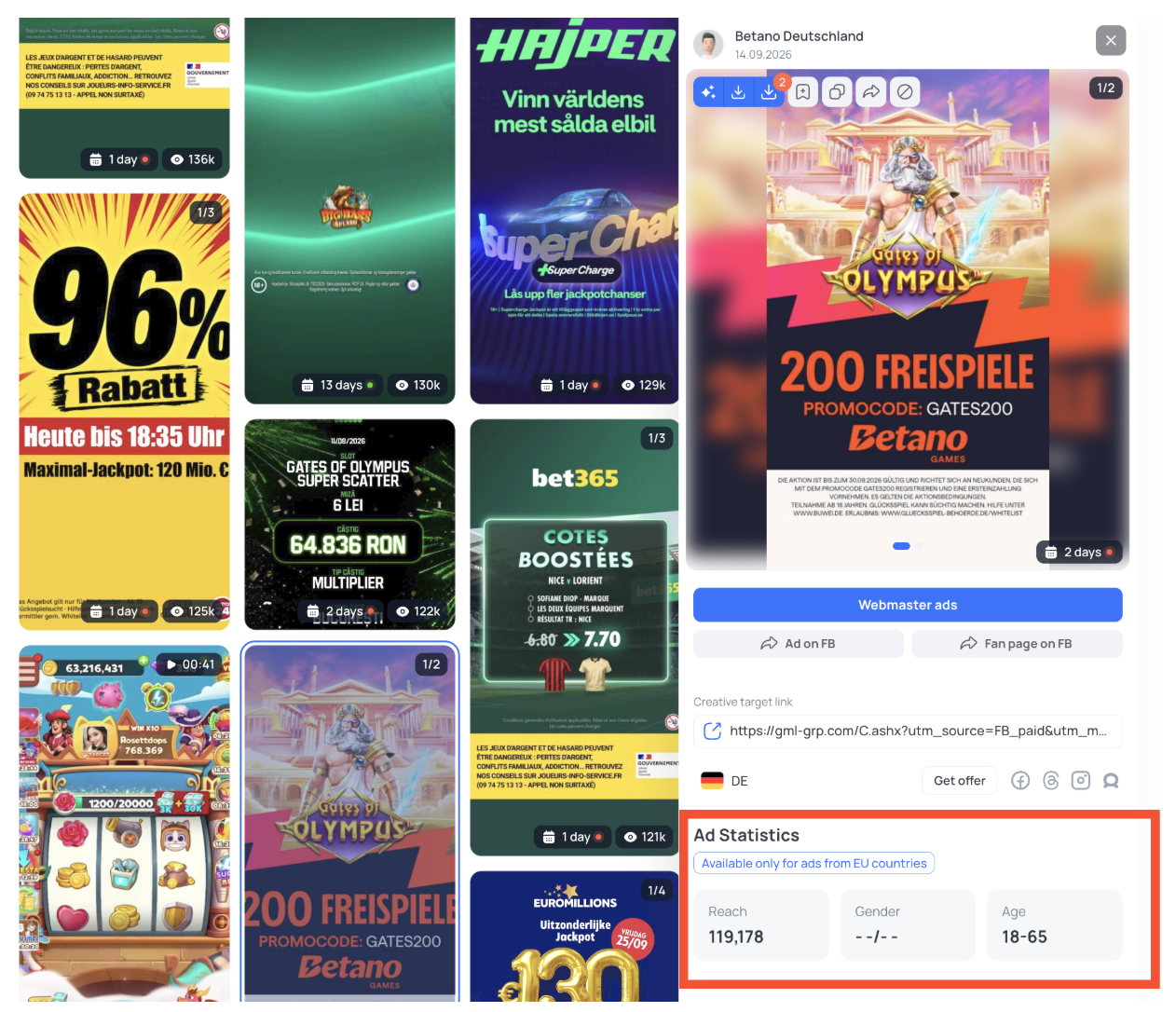
What to know before you buy: Tyver covers only Facebook and Instagram (no TikTok or native). You can’t download landing pages, so you’ll need another way to save them. The Pro plan costs $79/mo and Team costs $119/mo, with up to 40% off on yearly billing, which is more than entry-level tools. The Webmasters page is still in beta, and with this many filters a new user needs a little time to settle in. There is a free plan, so you can try it before paying.
Best for: media buyers who run mostly Meta traffic and want deep filters, audience data and a team-ready workflow.
Try Tyver -> coupon code AFFSECRET
2. Spy.House: One Dashboard for Facebook, TikTok and Push
Spy.House is a multi-format spy tool. Its Creatives section has separate tabs for Facebook, TikTok, Push, InPage and Adult ads, so you can follow an offer across several traffic sources in one place. The service reports around 12 million ads from 185+ countries, and the interface is available in 14 languages.
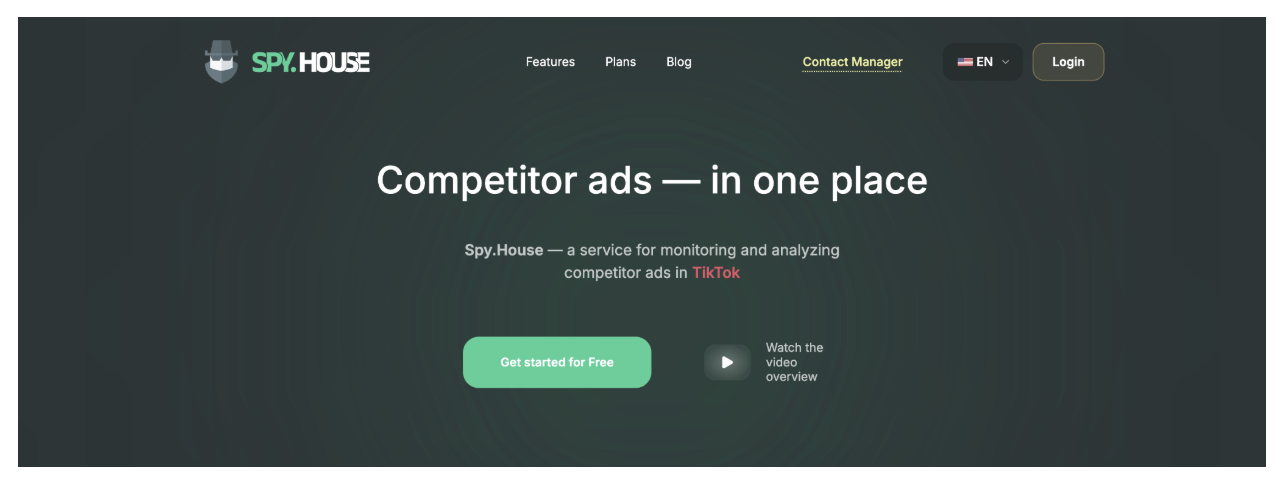
- Pros: 16+ filters, built-in uniquifier for JPG, PNG, WebP and MP4, landing page downloads, White Pages generator, API access through support, 7-day trial, plans from $29/mo, crypto payments.
- Cons: Facebook is just one of five tabs, so its depth is lower than in Facebook-only tools. The database is smaller than the big Meta-focused archives, and the trial limits some filters and requests.
- Best for: affiliates who run Facebook together with push or in-page traffic.
3. AdSpy: The Classic With a Massive Archive
AdSpy has been around for years and is still a go-to for researching long-term trends. Its archive holds more than 200 million ads from tens of millions of advertisers across 220+ countries and dozens of languages. You can search by ad comments, dig into engagement and targeting details, and it is known for handling cloaked pages.

- Pros: very large database, deep search including comments, long history of offers.
- Cons: a single plan at about $149/mo, no free trial, and an interface that feels dated next to newer tools.
- Best for: experienced buyers who want history and depth, and are fine with the price.
4. Pipiads: Facebook and TikTok for E-Commerce Hunters
Pipiads started as a TikTok ad spy tool and now covers Facebook too, along with TikTok Shop and product data. It is popular with dropshippers and e-commerce sellers who want to spot winning products and see how they are advertised.

- Pros: TikTok and Facebook databases, product and advertiser research, rankings, downloads, ad trackers, a free trial with 500 credits.
- Cons: the credit system takes getting used to (a detailed ad analysis costs 20 credits), plans start at $49/mo for Basic and $99/mo for Advanced, and the filters are less specialised than in tools built for affiliate verticals.
- Best for: e-commerce sellers and affiliates who need Facebook and TikTok in one login.
5. Foreplay: A Swipe File and Competitor Tracker for Creative Teams
Foreplay works a bit differently. It combines an ad discovery library with a swipe file, where you save ads into collections with automatic hook and ad transcription. Its Spyder feature tracks competitor brands around the clock, mostly using the Meta Ad Library. There is also a brief builder for turning inspiration into creative briefs.
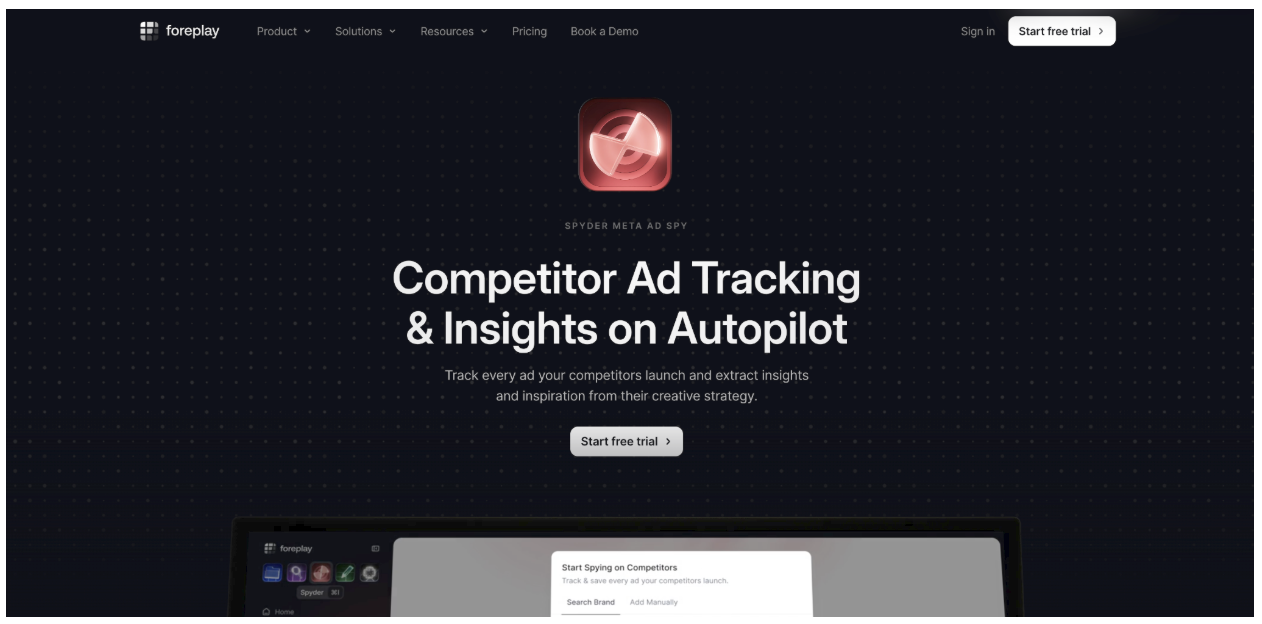
- Pros: clean workflow from discovery to brief, brand tracking, Chrome extension, 7-day trial.
- Cons: Basic costs 59/mo(49/mo billed yearly) and extra users cost more. It is built for creative strategists rather than for affiliate-specific filters like pixels, webmasters or iGaming.
- Best for: agencies and creative teams that plan and brief ads at scale.
6. Meta Ad Library + AdLib Pro: The Free Starting Point
The Meta Ad Library is Facebook’s own public archive of ads that are currently running on Facebook, Instagram, Messenger and Audience Network. You can search by keyword or advertiser, filter by country, platform and media type, and open any page to see all of its active ads. In the EU it also shows extra details such as reach and demographics. If your budget is close to zero, this is where to begin.
It has clear limits: media is awkward to download, search gets slow on big queries, you only see active ads and there are no tools for saving or grouping. The free AdLib Pro Chrome extension from the Tyver team fills part of the gap. It adds one-click media download, days active, views and decline in the feed, full link and caption, and slightly altered copies of media, all inside the normal Ad Library interface.
- Pros: free, official data, easy to start, the extension adds the basics.
- Cons: no history of stopped ads, no deep filters, manual saving and comparing.
- Best for: beginners and anyone testing on a tiny budget.
Get AdLib Pro from the Chrome Web Store
Ad Spy Tools Compared: Prices and Features
| Tool | Sources | Key features | Price | Free access |
| Tyver | Facebook, Instagram, about 140 GEOs | 20+ filters, audience data, iGaming filters, Webmasters, uniquifier, team roles | Pro $79/mo, Team $119/mo | Free plan |
| Spy.House | Facebook, TikTok, Push, InPage, Adult | 16+ filters, uniquifier, landing downloads | From $29/mo | 7-day trial |
| AdSpy | Facebook, 220+ countries | Comment search, huge archive, cloaking handling | About $149/mo | No trial |
| Pipiads | TikTok, Facebook | Product research, rankings, ad trackers | Basic $49/mo, Advanced $99/mo | 500 trial credits |
| Foreplay | Meta, TikTok, LinkedIn | Swipe file, Spyder tracking, briefs | Basic $59/mo | 7-day trial |
| Meta Ad Library + AdLib Pro | Meta platforms | Search, media download | Free | Always free |
Prices are taken from public sources and change often, so check each pricing page before you pay.
How to Choose the Right Ad Spy Tool
- Mostly Facebook and Instagram traffic: Tyver.
- Gambling offers: Tyver, thanks to its iGaming filters.
- Facebook plus push and in-page: Spy.House.
- Long-term research and old winners: AdSpy.
- E-commerce and TikTok: Pipiads.
- Creative briefs and team workflows: Foreplay.
- No budget yet: Meta Ad Library with AdLib Pro.
How to Find Winning Facebook Ads in 15 Minutes
- Pick one vertical and one or two GEOs. Searching everywhere only creates noise.
- Search by keyword and by competitor domain, then sort by days active.
- Look for signals together: an ad that has run for 7+ days, many variations of one angle, and the same offer on several fan pages, domains or countries.
- Save 10 to 15 ads to one collection and group them by angle, such as pain, proof, offer or UGC.
- Open each landing page and note the format, for example advertorial, quiz or direct offer.
- Build your own creatives from the three best angles and test with a small budget. If an angle dies in two or three days, drop it.
Avoid these mistakes: never copy a creative one to one, because Meta detects duplicates and your account takes the hit. Don’t trust a single metric like days active. Check current Meta policies before reusing a claim or format, since spy databases include old and banned ads.
FAQ
What is the best Facebook ad spy tool?
For Facebook and Instagram, Tyver is our top pick thanks to its fresh database, 20+ filters, audience data and built-in work tools. Other tools suit different needs, like multi-source traffic or e-commerce.
Is there a free Facebook ad spy tool?
Yes. The Meta Ad Library is free, and the AdLib Pro extension adds media download and extra data in the feed. Tyver also has a free plan.
Do I need an ad spy tool if I already have accounts, proxies and an antidetect browser?
Yes. Those three protect and scale your launches, but they don’t tell you what to run. A spy tool fills that gap.
Do ad spy tools show profit or ad spend?
No. They show activity, and sometimes reach or trends. You judge profitability from several signals and your own tests.
Can I reuse a creative I found in a spy tool?
It is better not to. Use the idea and structure, then rebuild or uniquify the media to avoid duplicate penalties.
Final Verdict
A strong creative is the difference between a campaign that pays back and one that drains your budget, and an ad spy tool is the shortest path to creatives that already work. For Facebook and Instagram, Tyver combines the freshest database, the deepest filters, audience data, webmaster analysis and tools for teams, which is why it takes first place. If you are just starting, begin with the Meta Ad Library and AdLib Pro, then move to a full tool as your volume grows.

Hi, I’m Taisia Kusakina – web designer and content manager.







Sending the message, you agree to follow by the terms of our. Privacy policy.